Read and Get Knowledge on How to Apply for a Job via Email 2026
What is a job application email?
A job application email is a professional message sent to an employer to apply for a specific job position. It includes a brief introduction, the position you’re applying for, and attached documents like your CV and cover letter.
What to include in your job application email
In your job application email, include these key parts:
- Subject line – clearly state the position you’re applying for
- Greeting – address the hiring manager politely (e.g., Dear Hiring Manager)
- Introduction – briefly introduce yourself
- Purpose – mention the job position you’re applying for
- Short summary – highlight why you’re a good fit
- Attachments note – mention your CV, cover letter, and other documents
- Closing – thank them and express interest in a response
- Signature – include your full name and contact details
Keep it short, clear, and professional.
How to Apply for a Job via Email (Step-by-Step Guide for Job Seekers) | How to Apply for a Job via Email 2026
Applying for a job via email is one of the most common methods used by employers today. To increase your chances of getting noticed, it’s important to present your application in a professional and well-organized way. Follow this simple guide to submit a strong email application.
1. Prepare Your Application Documents
Before you start, make sure you have all the required documents ready as stated in the job advertisement. These typically include:
- Application Letter (Cover Letter)
- Curriculum Vitae (CV)
- Academic Certificates (depending on your qualifications and the job requirements)
Ensure all documents are updated, accurate, and professionally formatted.
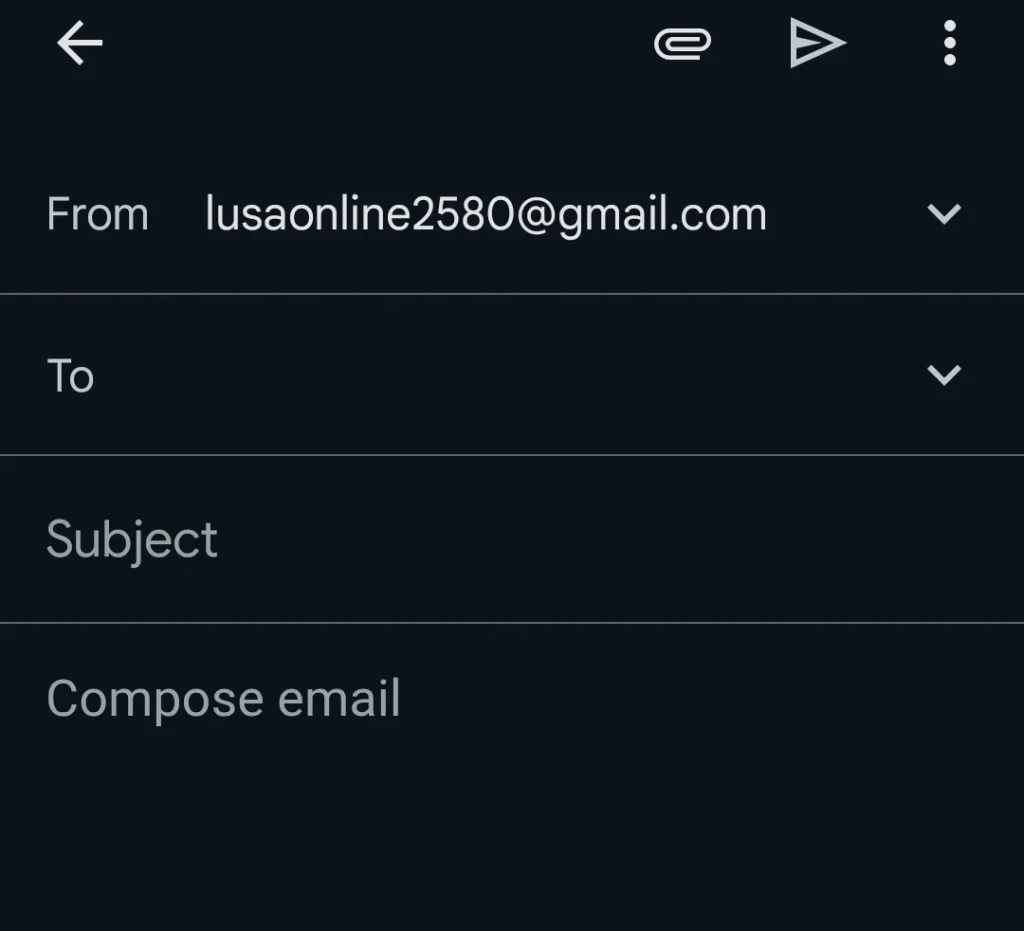
2. Open the Application Email
Copy the email address provided in the job advert or click on it directly. This will open your Gmail or default email application, allowing you to compose your message.
3. Write a Clear and Professional Subject Line
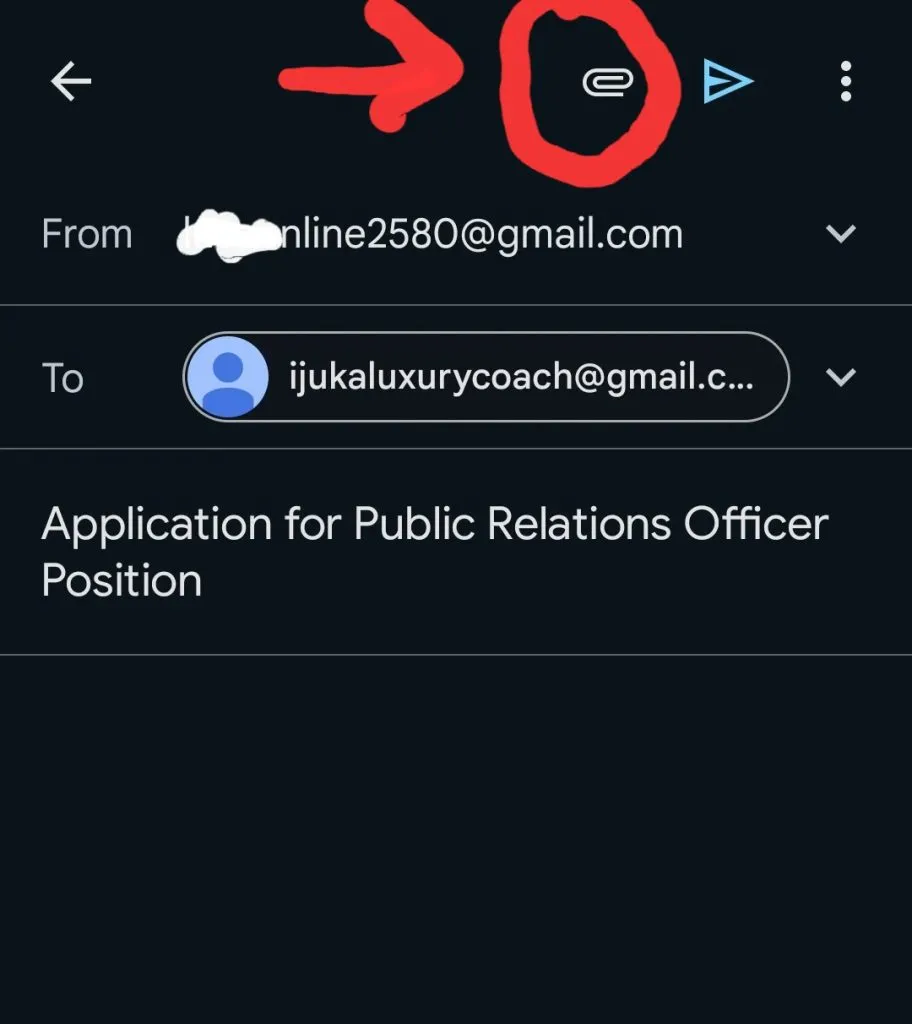
Your subject line should clearly state the position you are applying for. Keep it short, direct, and professional.
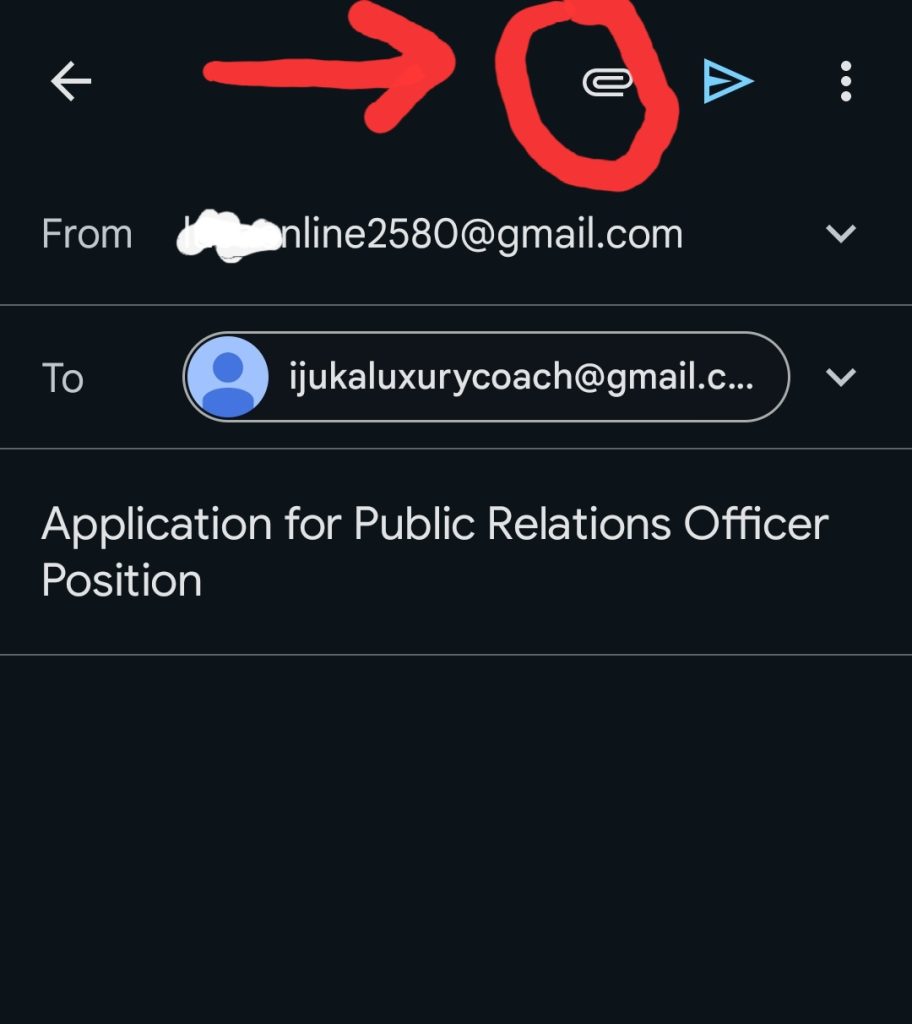
Example: Application for Public Relations Officer Position
4. Attach Your Documents in PDF Format
Attach all your documents in PDF format to maintain a clean and professional appearance.
- Include your CV, cover letter, and any other required documents.
- Ensure all files are clearly named (e.g., John_Doe_CV.pdf).
5. Combine Documents (Recommended)
For a more organized application, it’s advisable to merge all your documents into one single PDF file. This makes it easier for employers to review your application quickly and efficiently.
6. Review and Send Your Application
Before sending your email:
- Double-check for spelling and grammar errors
- Ensure all attachments are included
- Confirm that the correct email address is used
Once everything is in order, click Send to submit your application.
A well-prepared email application not only shows your professionalism but also increases your chances of standing out among other applicants. Take your time, follow the steps carefully, and make a strong first impression.