The Ajira Portal system has been updated, and all users are required to change their old passwords and create new ones in order to access their accounts.
Steps to Follow to Change Your Password
- Log in to the Ajira Portal system using your previous login credentials.
- After clicking login, you will receive a notification that your password has expired and that you must create a new one. Click OK to proceed.
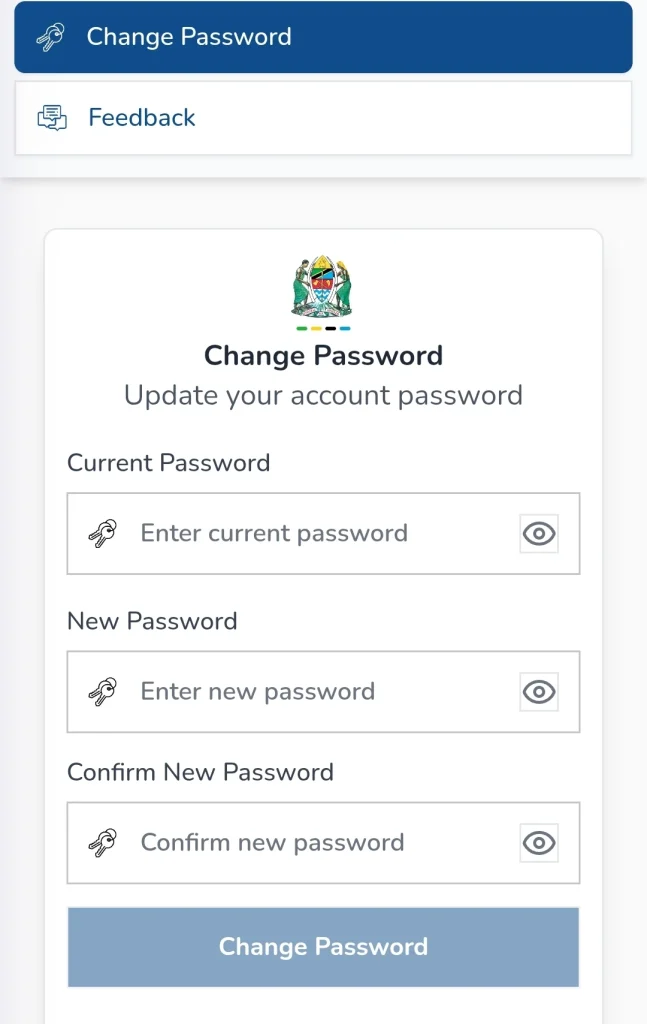
- A new page will open with three fields: Current Password, New Password, and Confirm Password.
- Enter your old password (the one you were previously using) in the Current Password field. Then enter your new password in the New Password field and repeat the new password in the Confirm Password field.
- Click Change Password to complete the process.
ANGALIA VIDEO HAPA CHINI